












A note before we start: we, ITechX Solutions, make every app in this article, and we wrote the article. It is a description of our own apps, not an independent review, and it contains no ratings or user reviews.
iPhone Duo is an iPhone that folds. Closed, you use the cover display with one hand. Opened flat, you get a large inner display with a fold down the middle. Half folded and set on a desk, it stands like a small laptop. We built our apps around those three positions, which is what “Designed for iPhone Duo” means in this article: the layout changes with the pose, and nothing you need to tap sits on the fold.
The three apps below are on the App Store now. Each section says what the app does, what changes in each pose, what is free and what stays on your iPhone.
- Duo Clipboard — Clipboard history for iPhone Duo
- Twofold Notes — Markdown notes with on-device AI
- File Studio — Convert and compress files on iPhone
Duo Clipboard: clipboard history with boards
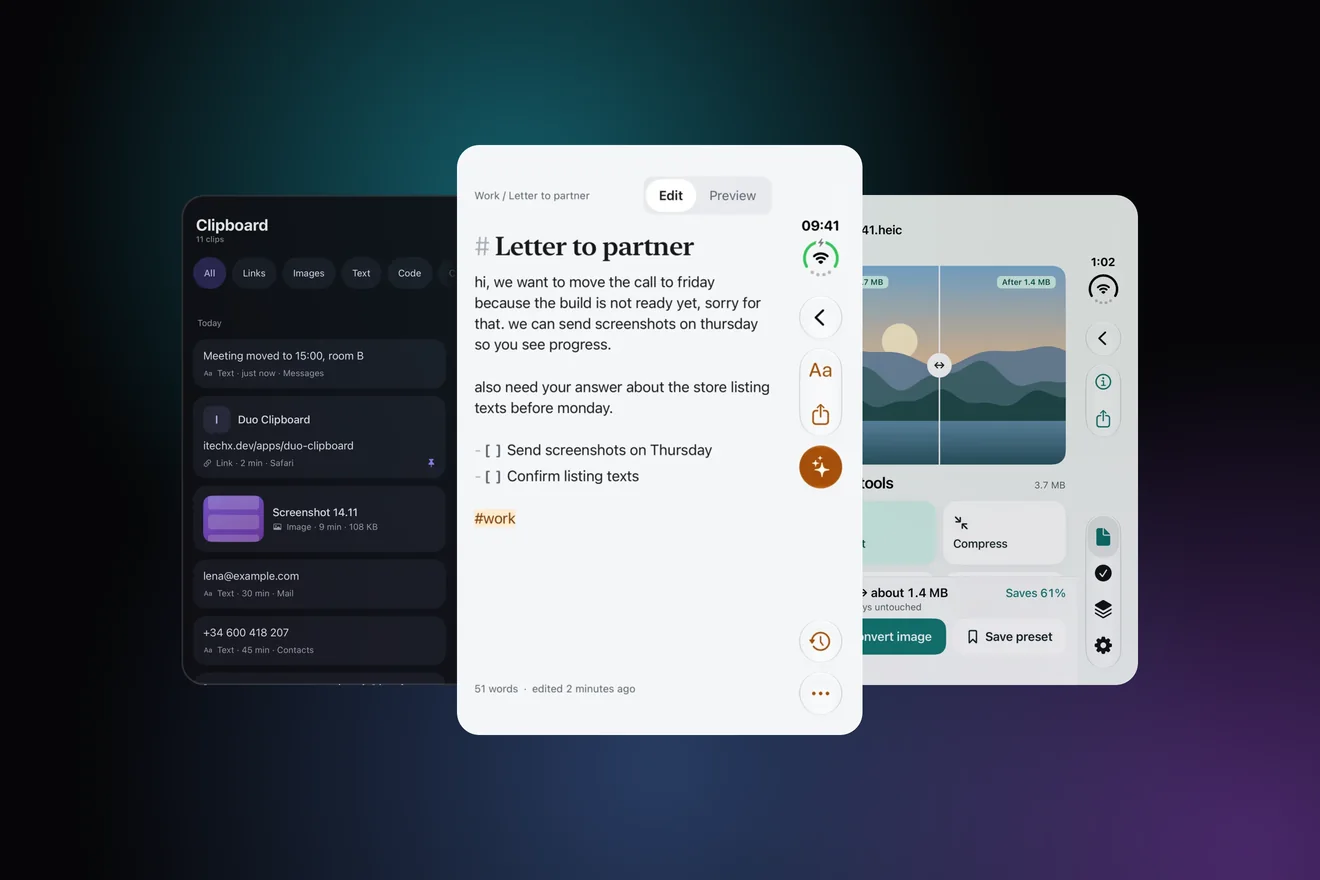
Duo Clipboard keeps the things you copy, so you can paste them again later. iOS does not let apps watch the clipboard in the background, so it saves when you ask: tap Paste in the app, share to it from any app, drag clips in, or use Shortcuts, Siri, the Action Button or Control Center. Clips can go on boards, and a keyboard lets you paste from your history in any text field.
On iPhone Duo
- Closed. The history is a single column on the cover display, with the last clip in the side bar under your thumb.
- Open. A sidebar, a grid of clips and a large preview, split at the fold.
- Laptop pose. The preview sits on top and the history below.
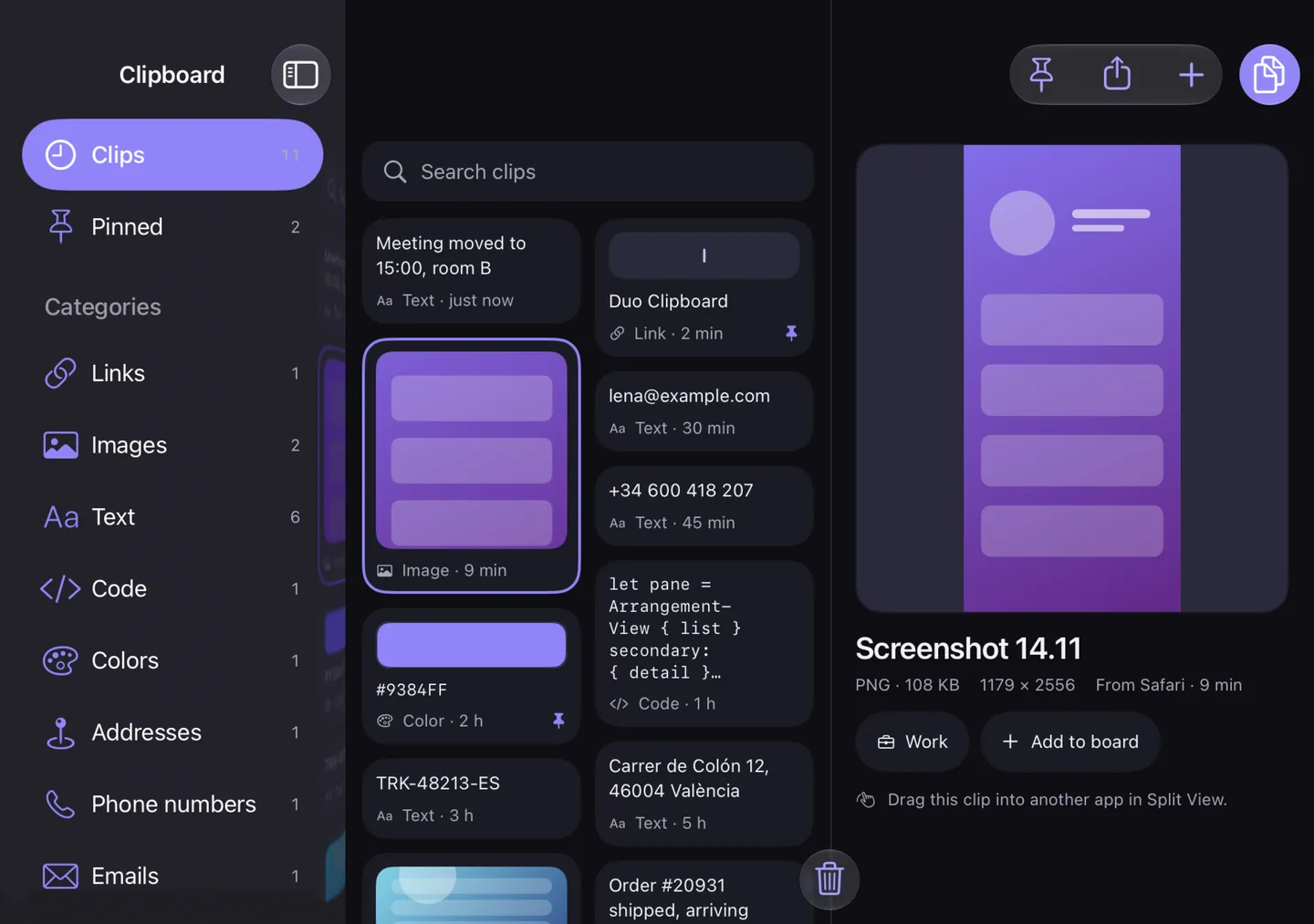
Free and Pro. Free keeps your last 30 clips and one board. Duo Clipboard Pro, a one-time purchase, removes the limits and adds the full keyboard, all widgets, zip export, cleanup rules and themes.
Privacy. Clips stay on your iPhone. One-time codes, card numbers and passwords are detected on device, hidden in lists and deleted automatically. No account, no ads, and anonymous usage statistics can be turned off in Settings.

Twofold Notes: Markdown notes with on-device AI
Twofold Notes is a Markdown editor with a second pane for AI. You write on one side and get a rewritten, summarised or translated version on the other, then keep what you want. The AI runs on your iPhone with Apple Intelligence, so it needs an iPhone that supports it; the notes themselves work everywhere.
On iPhone Duo
- Closed. A fast one-handed notes app on the cover display.
- Open. Your note on one half and the AI result on the other, split at the fold.
- Laptop pose. The note on top and Rewrite with AI on the bottom half.
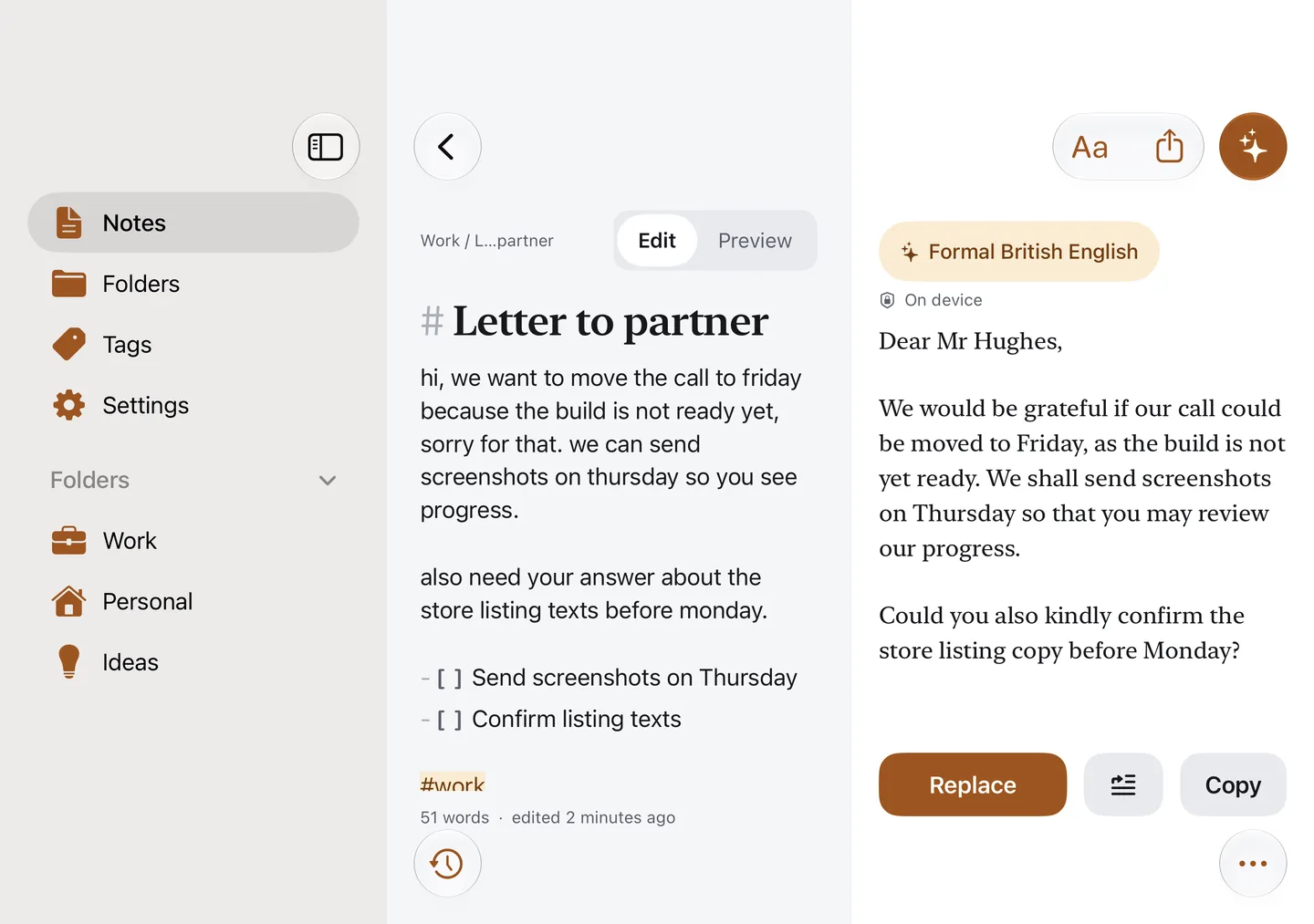
Free and Pro. Free includes five AI runs a day with Improve, Summarize and Bullet points. Twofold Notes Pro, a one-time purchase, removes the limit and adds every action and tone, translation, custom prompts and full version history.
Privacy. Notes never leave your iPhone, and AI actions and translation run on the device. No account, no ads, and anonymous usage statistics can be turned off in Settings.
File Studio: convert and compress files on device
File Studio converts and compresses photos, PDFs, audio and video, and reads text from photos and scanned PDFs. HEIC to JPEG, photos to PDF, a smaller video for a message: every job runs on your iPhone with Apple’s own frameworks, and your originals are never changed.
On iPhone Duo
- Closed. A quick one-handed tool with the main action under your thumb.
- Open. A desktop-style browser with your files beside a large preview.
- Laptop pose. The preview sits above the fold and the tools below it.
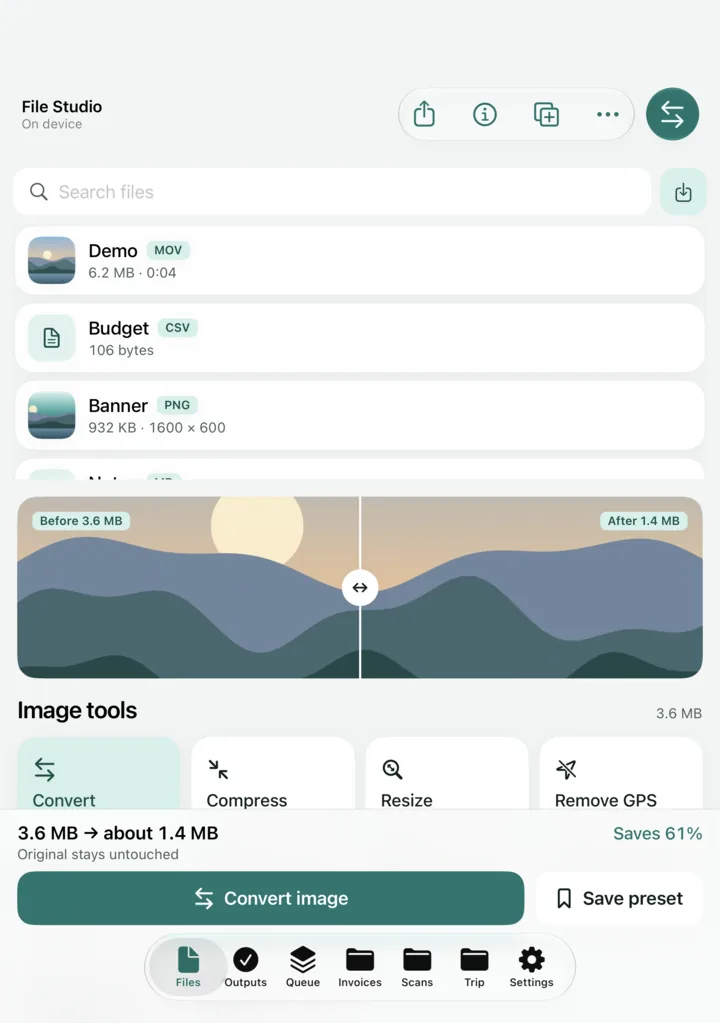
Free and Pro. File Studio Pro, a one-time purchase, adds batch processing, the full PDF toolkit, searchable scanned PDFs, every video preset at any length, saved presets, Shortcuts actions and widgets.
Privacy. Files are never uploaded. You can remove location and camera data from photos when you convert them. No account, no ads, and anonymous usage statistics can be turned off in Settings.
What the three have in common
- Free, with a one-time Pro. No subscription, and Pro works with Family Sharing.
- No account and no ads. Your content stays on your iPhone.
- Every iPhone with iOS 26 or later. The Duo layouts appear on iPhone Duo; other iPhones get a single-screen layout with the same features.
Coming next
Three more of our apps designed for iPhone Duo are on the way: Twofold Scan, a document scanner with on-device text recognition; Twofold Photos, a duplicate and similar photo cleaner; and Twofold Prompter, a teleprompter that records you. We will add them to this article when they are on the App Store.
Questions people ask
- Are these apps independent picks?
- No. ITechX Solutions publishes all three apps and this article. It describes what the apps do; it is not an independent review, and it quotes no ratings or reviews.
- Do the apps work on iPhones other than iPhone Duo?
- Yes. They are designed for iPhone Duo and work on every iPhone with iOS 26 or later, with a single-screen layout.
- What do they cost?
- Each app is free to download, with a one-time Pro purchase that unlocks the rest. There is no subscription, and Pro works with Family Sharing. The price is shown in the App Store.
- Do they need an account or send my content anywhere?
- No account is needed. Clips, notes and files stay on your iPhone. The apps send only anonymous usage statistics and crash reports, which never include your content and can be turned off in Settings.