Photos
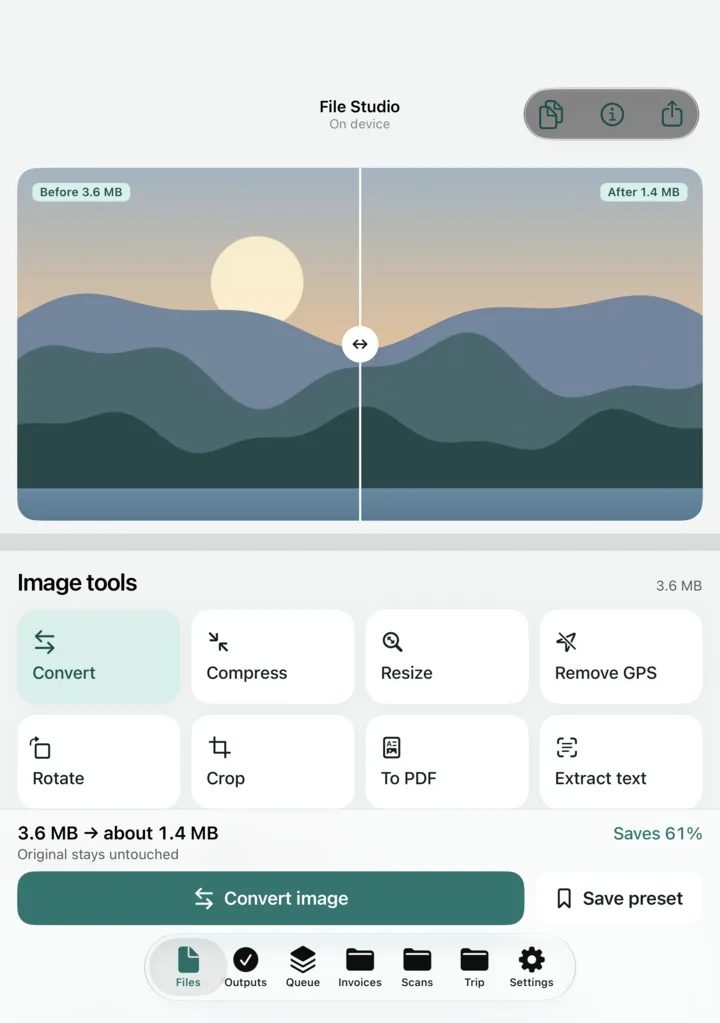
Convert HEIC, JPEG, PNG, TIFF and GIF (WebP opens too). Compress with a live before and after slider and an exact size estimate. Resize, rotate, crop, and remove location and camera data in one tap.
 Jelly Gates: Color Slide PuzzleSlide Puzzle · 200 levels
 Jelly Fizz: Soda Sort PuzzleSort Puzzle · 200 levels
 Jelly Pack: Candy FactoryPuzzle (Casual) · 200 levels
 Jelly Belt: Sort & MatchConveyor Sort Puzzle · 200 levels
 Block Forge - Puzzle BlocksBlock Puzzle · 60 levels
 Screw Sort: Nuts & BoltsSort Puzzle · 200 levels
 Slime SiegeIdle Auto-BattlerPlayStudioBlogApps
 NewsPrismRSS Reader
 StepRingStep Counter
 Duo ClipboardClipboard History
 Twofold NotesNotes with AI
 File StudioFile ConverterAll AppsBlogContactJoin the waitlist
ITechX · Apps · Designed for iPhone Duo
Convert, compress and read text from photos, PDFs and video, right on your iPhone. Nothing is uploaded. Designed for iPhone Duo: preview above the fold, tools below.
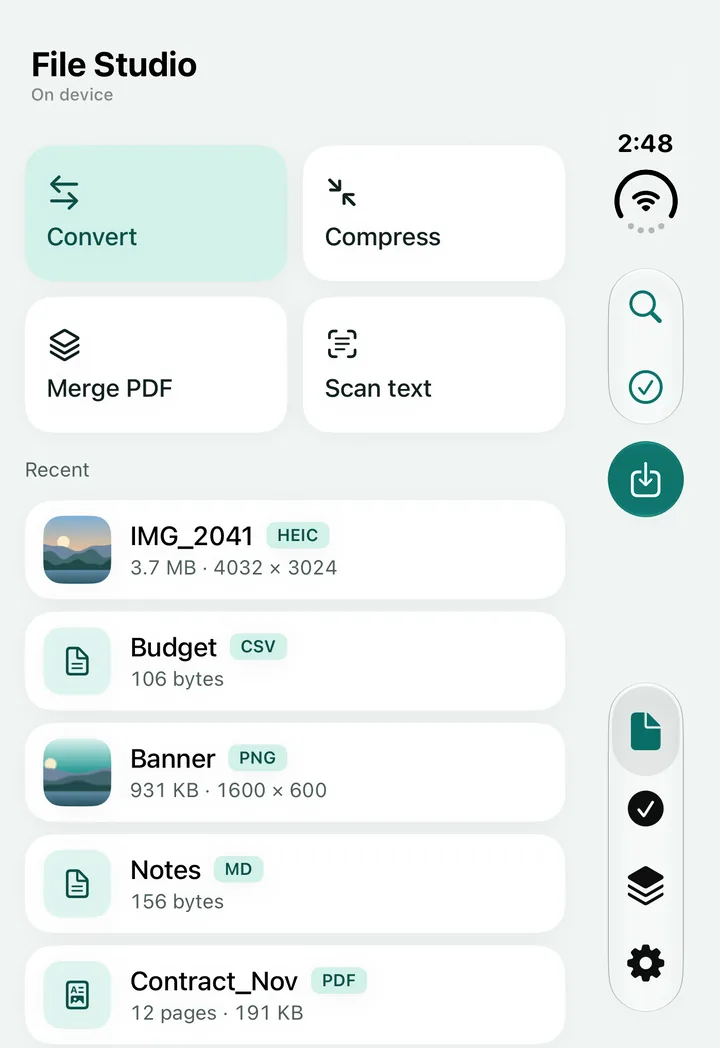
File Studio is a converter and file viewer that feels like a desktop app, and it never sends your files anywhere. Every conversion runs on your iPhone with Apple’s own frameworks. Free, with a one-time Pro purchase. For iPhone with iOS 26 or later.
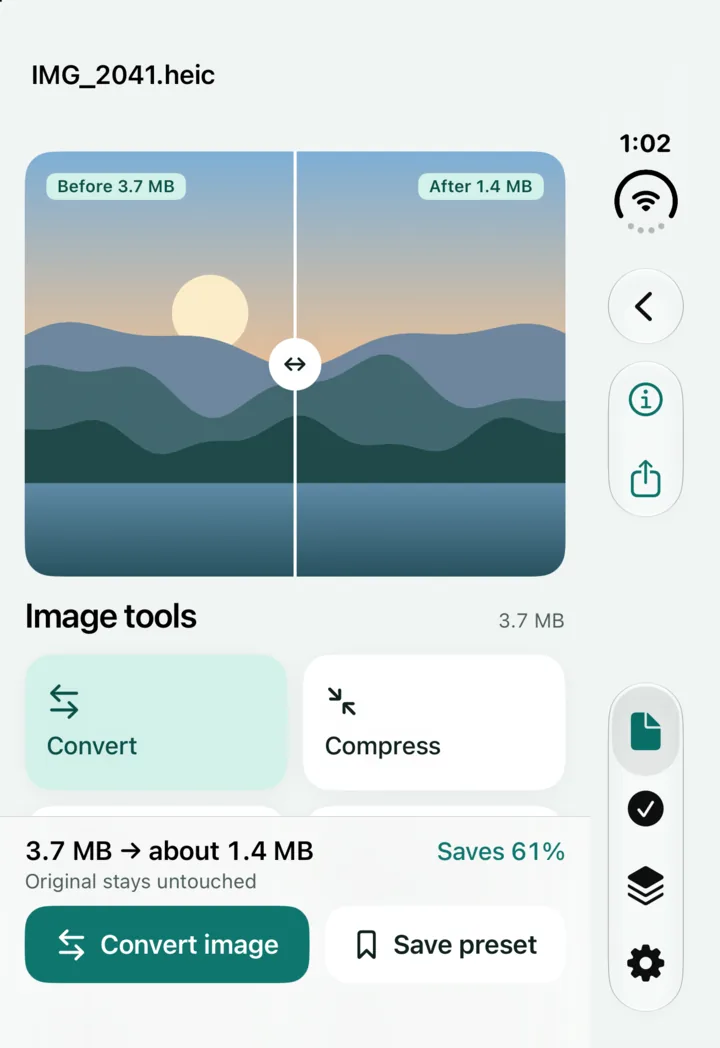
Closed, open, laptop
One app, three ways to hold it. The layout follows the pose, and works on every other iPhone too.
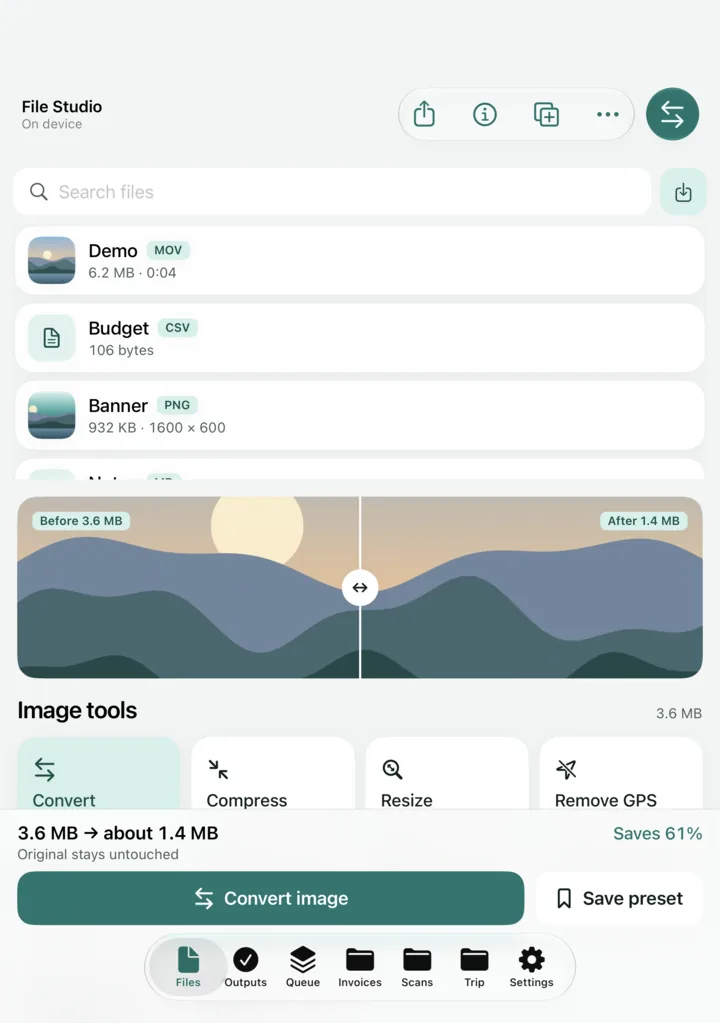

Preview with page thumbnails, turn photos into a PDF and merge PDFs. With Pro: split, reorder, rotate and delete pages, export pages as images, compress, password protect and unlock.
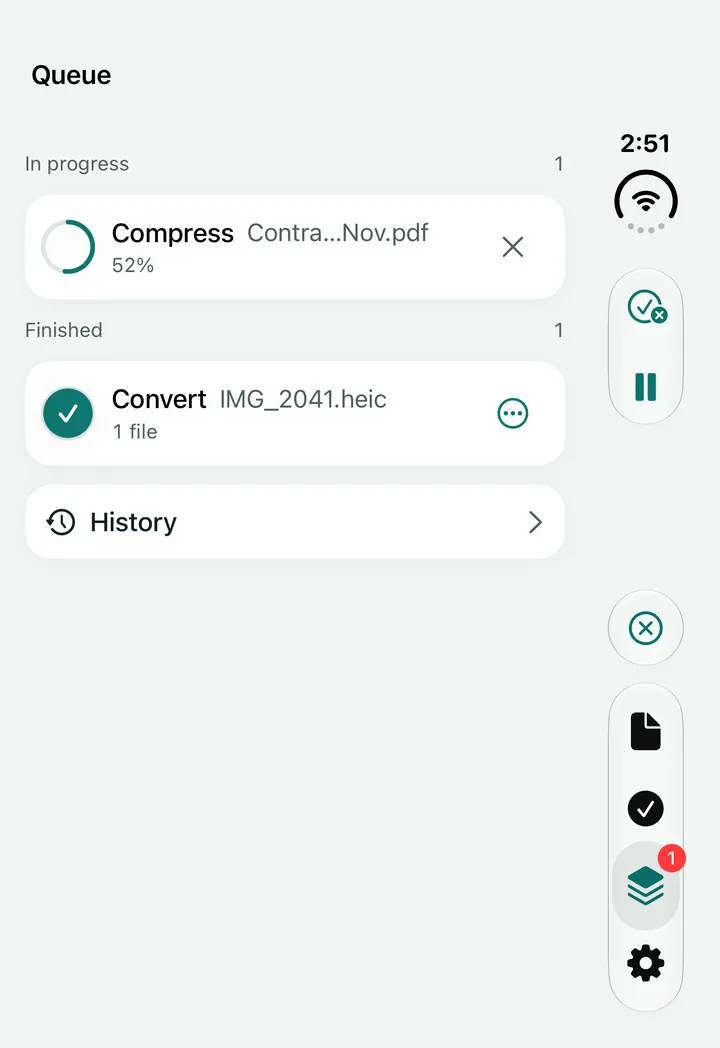
Jobs keep running while you browse, with progress and the space you saved. Your originals are never changed: results land in Outputs and in the Files app.
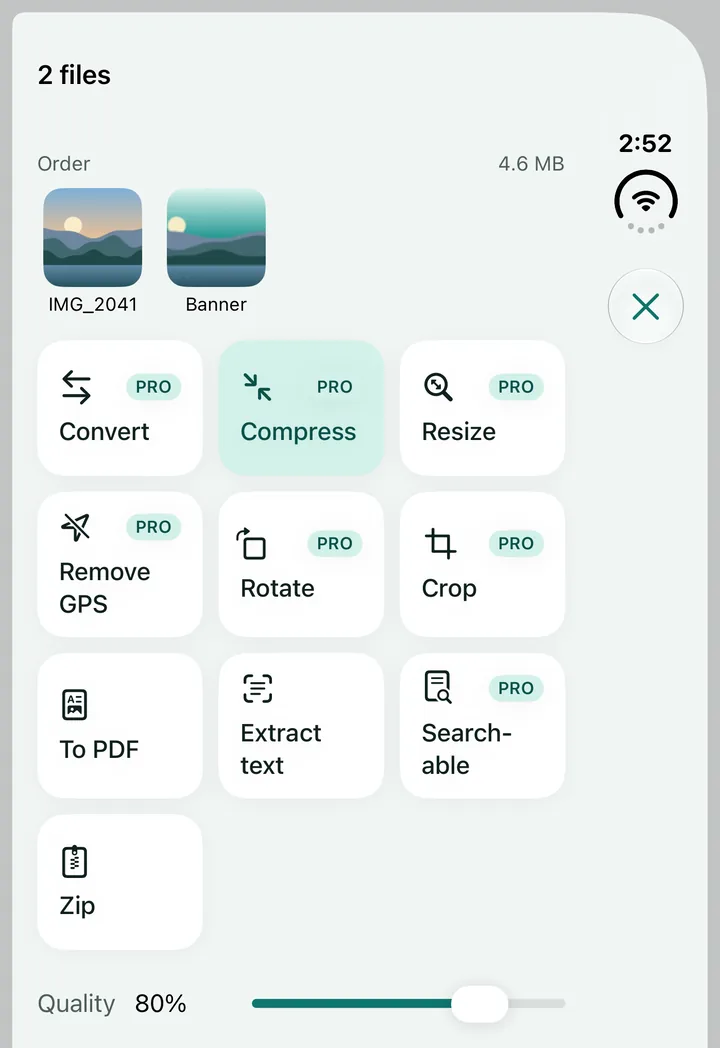
Batch processing, saved presets, Shortcuts actions and widgets with Pro. Zip and unzip archives.
Convert HEIC, JPEG, PNG, TIFF and GIF (WebP opens too). Compress with a live before and after slider and an exact size estimate. Resize, rotate, crop, and remove location and camera data in one tap.
Read text from photos and scanned PDFs, then copy it or save it as TXT or Markdown. With Pro, make scanned PDFs searchable.
Compress video with HEVC or H.264. With Pro: every preset, any length, trim, mute, convert MOV to MP4 and extract audio. Convert audio between M4A, WAV, CAF and AIFF (MP3 opens too).
Every conversion runs on your iPhone. Your files are never uploaded.
No accounts. No ads. No tracking.
Anonymous usage statistics and crash reports help improve the app, and you can turn them off in Settings.
Free, with a one-time Pro
One purchase unlocks everything, for good, and works with Family Sharing. No subscription.
| Feature | Free | Pro |
|---|---|---|
| Convert, compress and resize photos | Included | Included |
| Photos to PDF and merge PDFs | Included | Unlimited merges |
| Text recognition | Included | Unlimited |
| Compress video | Included | Every preset, any length |
| Convert audio, zip and unzip | Included | Included |
| Full PDF toolkit | Not included | Included |
| Searchable scanned PDFs | Not included | Included |
| Trim, mute, MOV to MP4, extract audio | Not included | Included |
| Batch processing and saved presets | Not included | Included |
| Shortcuts actions and widgets | Not included | Included |
The price is shown in the App Store and in the app before you buy. Restore Purchases is in the app’s Settings.
FAQ