Export without a watermark
PDF and JPEG, in A4, Letter or fitted to the scan. Share, save to Files, or drag pages and PDFs into other apps.
 Jelly Gates: Color Slide PuzzleSlide Puzzle · 200 levels
 Jelly Fizz: Soda Sort PuzzleSort Puzzle · 200 levels
 Jelly Pack: Candy FactoryPuzzle (Casual) · 200 levels
 Jelly Belt: Sort & MatchConveyor Sort Puzzle · 200 levels
 Block Forge - Puzzle BlocksBlock Puzzle · 60 levels
 Screw Sort: Nuts & BoltsSort Puzzle · 200 levels
 Slime SiegeIdle Auto-Battler
 Cucaracha DUOCasual · 120 levelsPlayStudioBlogApps
 NewsPrismRSS Reader
 StepRingStep Counter
 Duo ClipboardClipboard History
 Twofold NotesNotes with AI
 File StudioFile Converter
 Twofold ScanPDF Scanner
 Twofold PhotosPhoto Cleaner
 Twofold PrompterTeleprompterAll AppsBlogContactJoin the waitlist
ITechX · Apps · Designed for iPhone Duo
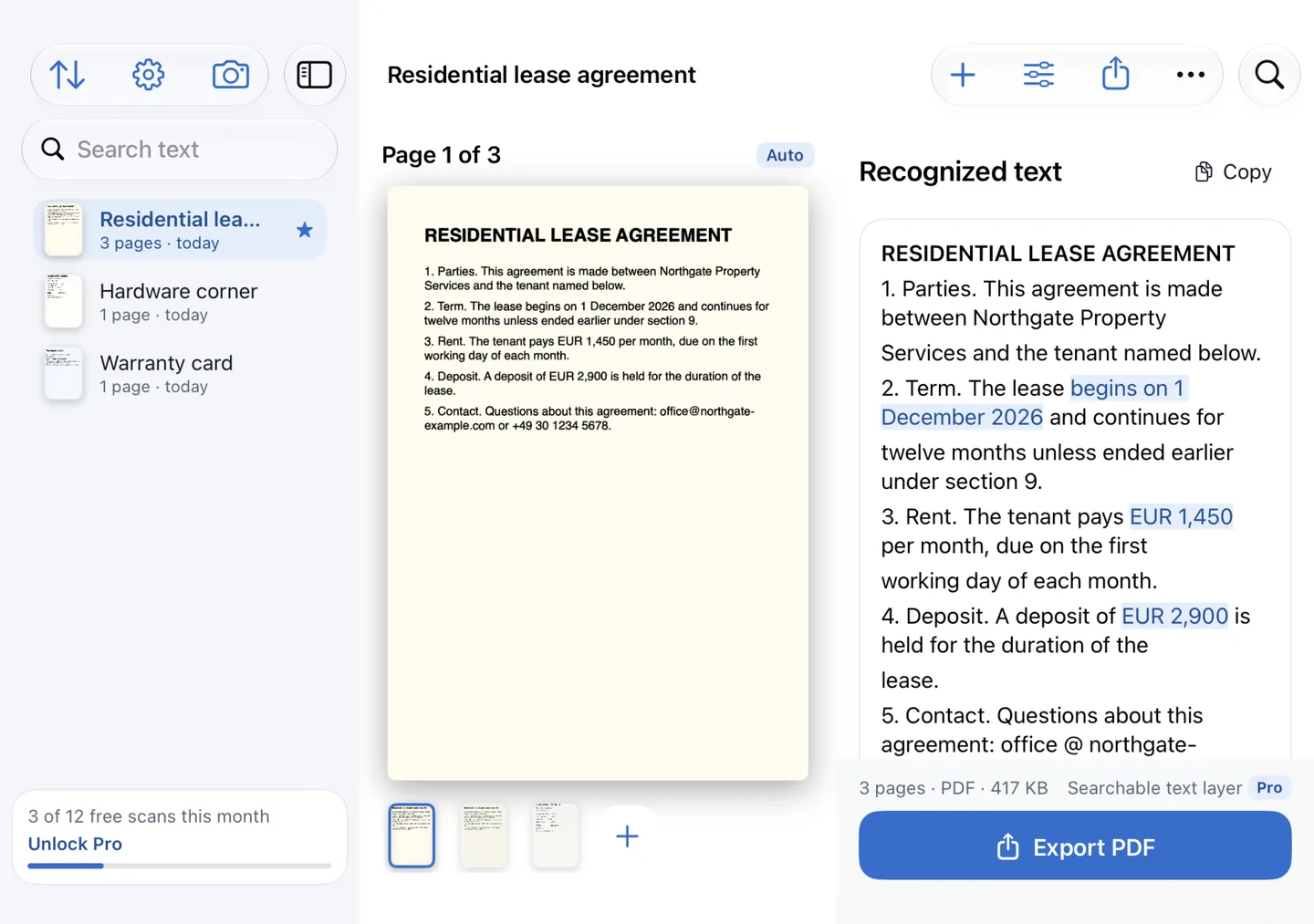
Scan on the cover display, then open the phone to read the page and its recognised text side by side. Text recognition runs on this device.
Twofold Scan finds the page edges, corrects the perspective and recognises the text automatically. Free, with a one-time Pro purchase. For iPhone with iOS 26 or later.

Closed, open, laptop
One app, three ways to hold it. The layout follows the pose, and works on every other iPhone too.
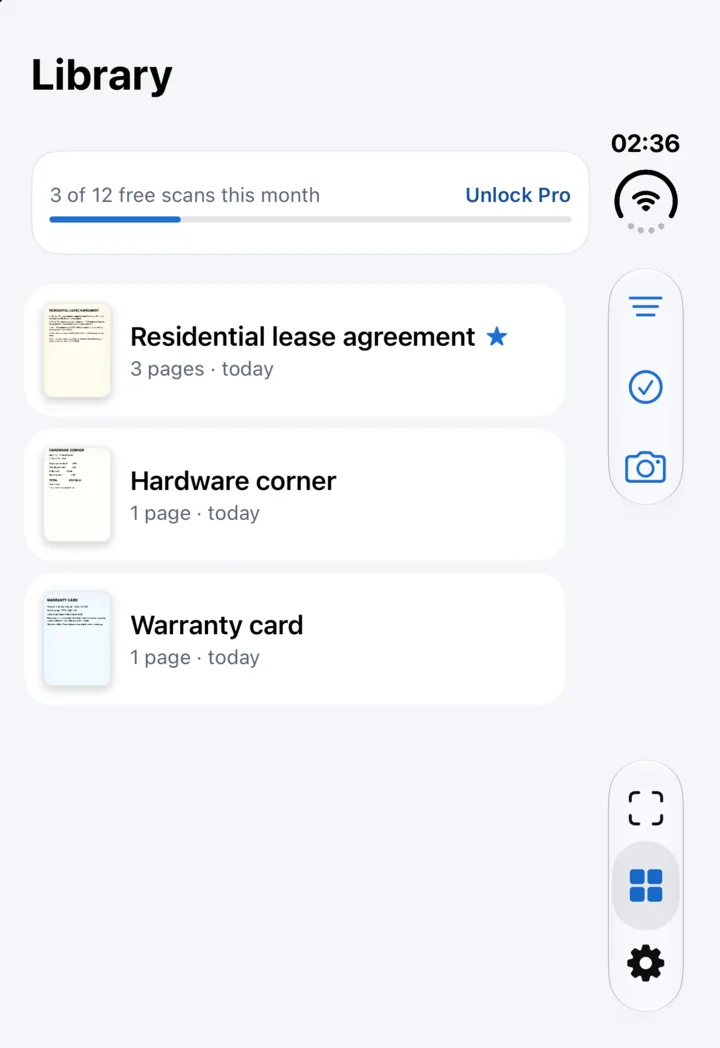
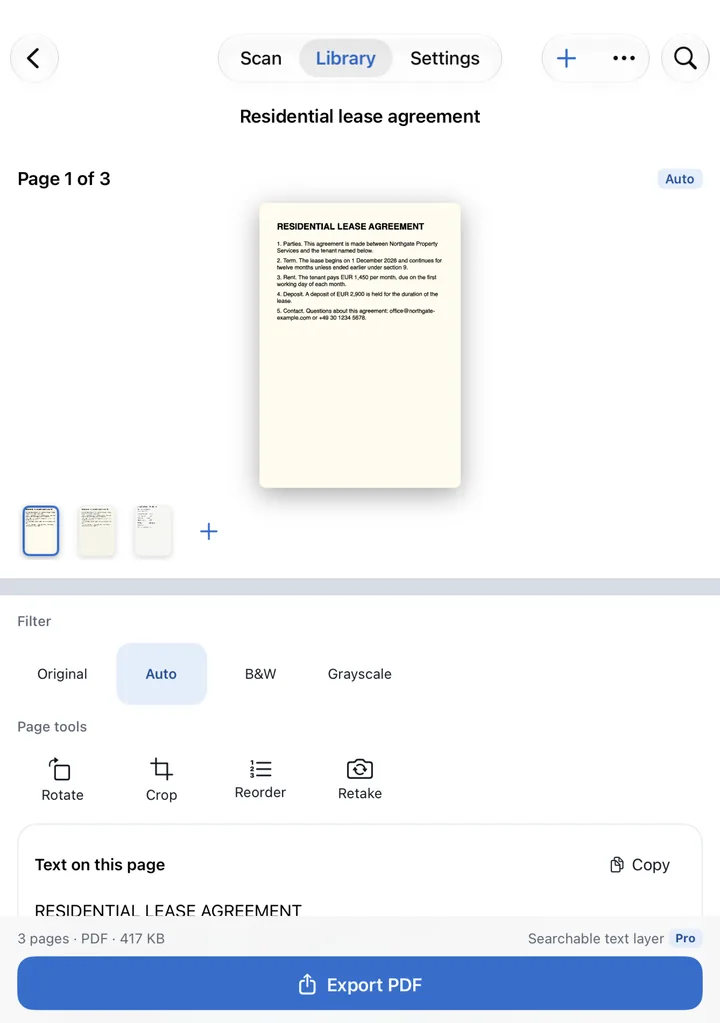

A live outline finds the page as you aim. Scan as many pages as you need in one session and retake any of them.
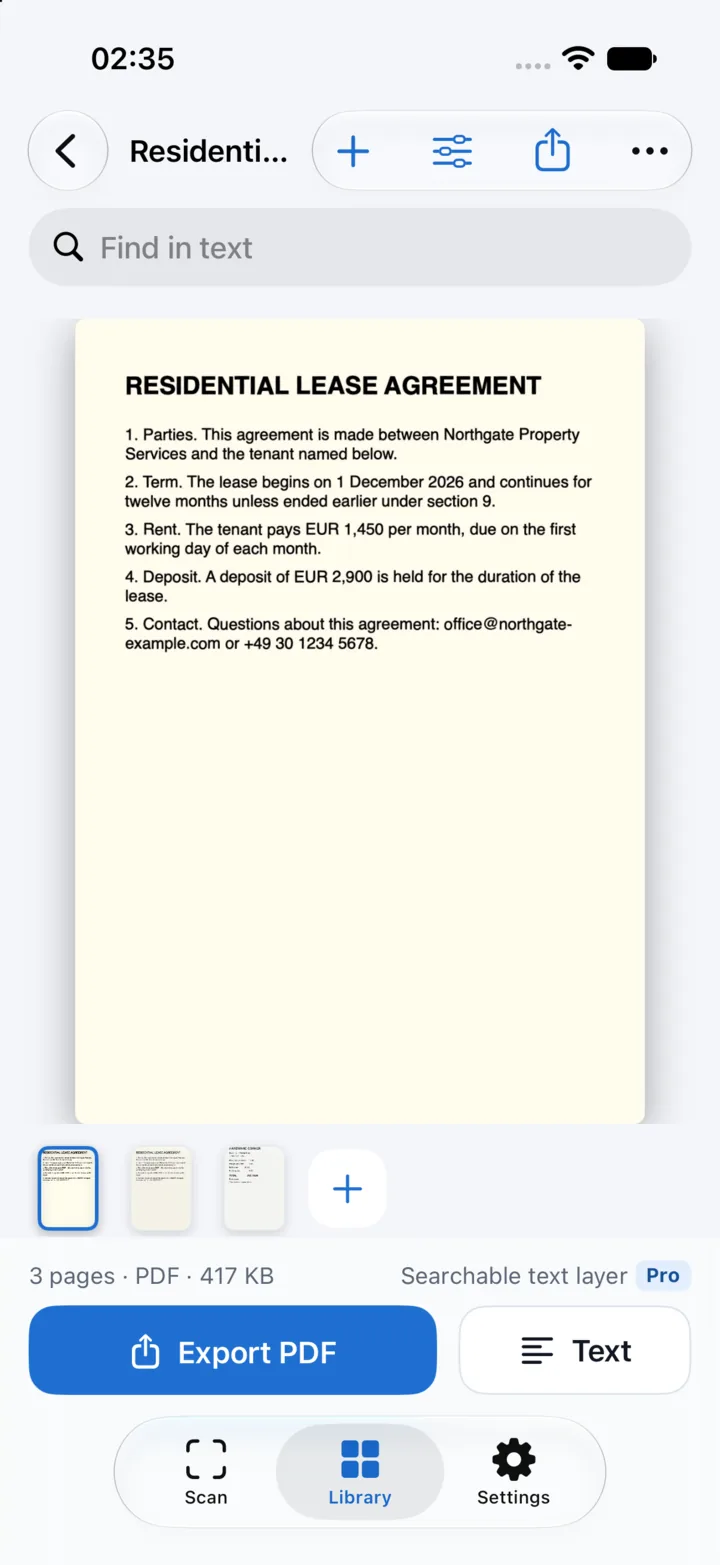
Text recognition runs on this device, with automatic language detection. Select, edit and copy the text; dates, amounts, links and phone numbers are highlighted.
PDF and JPEG, in A4, Letter or fitted to the scan. Share, save to Files, or drag pages and PDFs into other apps.
Search the text of all your documents, make PDFs with a searchable text layer, and export the text as TXT or Markdown.
Your documents stay on your iPhone. No account, no ads, no tracking.
Text recognition runs on your device. Your scans, PDFs and recognised text are never uploaded.
Anonymous usage statistics and crash reports help improve the app, never include your documents, and can be turned off in Settings.
Free, with a one-time Pro
Twofold Scan Pro is a one-time purchase. No subscription, and it works with Family Sharing.
| Feature | Free | Pro |
|---|---|---|
| Scan, import, crop, filters and page tools | Included | Included |
| Text recognition and copying text | Included | Included |
| Export PDF and JPEG, no watermark | Included | Included |
| New documents | 12 a month | Unlimited |
| Auto capture | Not included | Included |
| Search across all documents | Not included | Included |
| PDF with a searchable text layer | Not included | Included |
| Export text as TXT and Markdown | Not included | Included |
The price is shown in the App Store and in the app before you buy. Restore Purchases is in the app’s Settings.
FAQ